How to resize government exam photo and signature online
UPSC, SSC, IBPS, RRB, NEET, state PSC photo & signature sizes — free Rankify presets
By Mayank PrajapatiFounder & tool documentation lead
Founder of Rankify (rankify.in). Hands-on experience shipping client-side image/PDF utilities, IP tooling, and calculator suites used by students and marketers.
From first-hand testing on Rankify: Government Image Resizer is built for real browser workflows — we verify outputs in Chrome and Safari before documenting steps, limits, and common failure cases (oversized uploads, unsupported formats, and mobile Safari quirks).
Government exam portals reject photos for small, specific reasons: wrong width and height, file over the KB limit, a cut-off signature, or a face that sits too low in the frame. A phone JPEG is often 2–5 MB. Many forms want 20–50 KB for the photo and even less for the signature. Compressing at random rarely fixes that. You need the size printed in your notification.
Rankify’s Government Image Resizer keeps 133 exam and portal presets in one browser tool — UPSC, SSC, IBPS, SBI, Railway RRB, NEET/JEE, CUET, GATE, CTET, NDA, Agniveer, India Post GDS, state PSC boards, police drives, and ID uploads such as PAN and Aadhaar. Each preset uses the same pixel and KB config as Rankify’s dedicated resizer pages, so the hub and those pages stay aligned.
Use the steps below, then jump to your exam in the size tables. Always open the official notice before final submit. If the portal and Rankify disagree, follow the portal.
What is a government exam photo and signature resizer?
A government exam photo resizer crops and scales your portrait to the pixel size (or print-equivalent frame) in the notification, then compresses the JPG into the allowed kilobyte range. A signature resizer does the same for black-ink scans — often a narrow strip such as 140×60 px with a 10–20 KB ceiling on banking forms. Some IBPS-style cycles also ask for a thumb impression and a handwritten declaration.
On Rankify, each exam card stores width, height, fit mode, optional triple-stack for UPSC-style signatures, and min–max KB. Cropping and compression run in your browser. The file is not uploaded to Rankify for processing. You download the JPG and upload it only on the official form.
How to resize government exam photo and signature online
- Open rankify.in/government-image-resizer on your phone or computer.
- Search the exam short name (UPSC, IBPS, SSC GD, NEET, GPSC, Delhi Police) or pick a featured chip.
- Choose Photo, Signature, or Thumb — only types Rankify supports for that exam appear.
- Upload a clear image. Prefer a light background for photos and black ink on white paper for signatures.
- Crop so the face or ink fills the frame. Adjust brightness if the scan looks dull.
- Download the JPG. Open it once to check sharpness, then upload on the official portal.
- If the portal rejects the file, re-read the notice, try Custom size, or use Compress to Target KB after dimensions are correct.
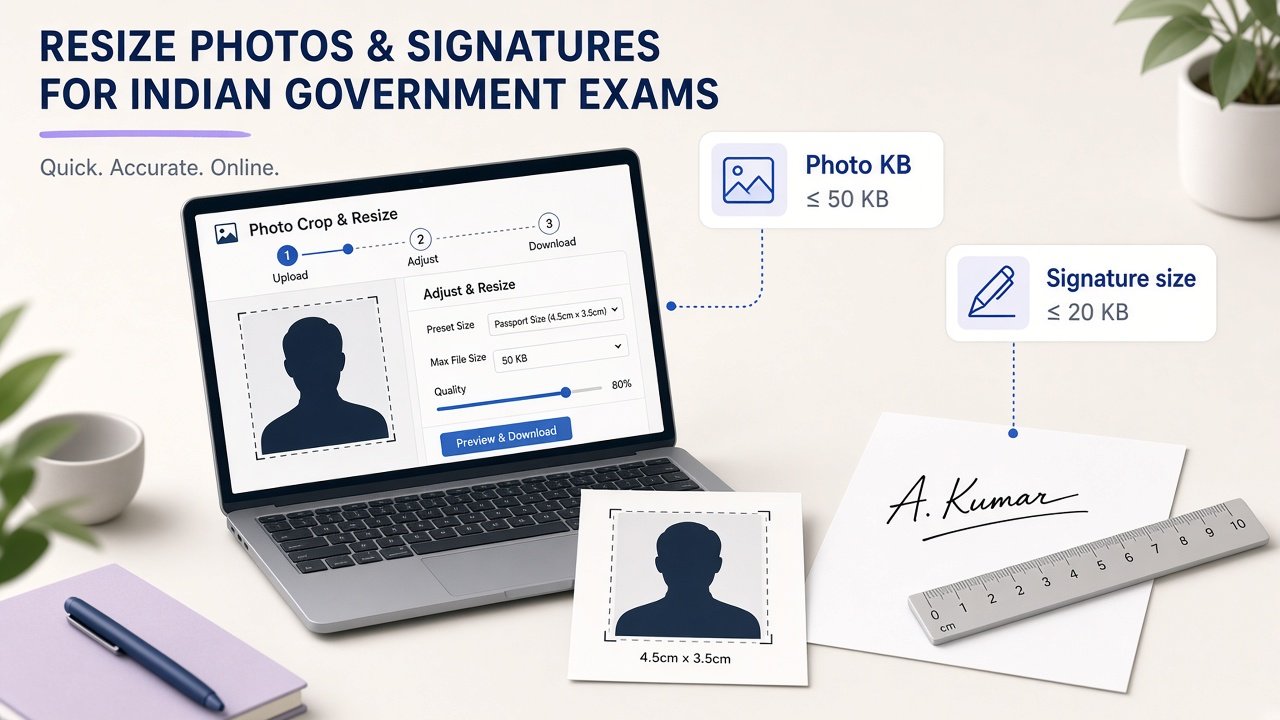
Free browser tool with 133 synced exam and portal presets.
Open Government Image ResizerGovernment exam photo and signature size list (133 Rankify presets)
Each row shows Rankify’s current photo, signature, and thumb values for that short name. A dash (—) means that document type is not configured yet. Banking “preferred” pixels still treat the KB range as the hard limit. Some SSC and Railway cycles capture the photo live — resize only the signature if your notice says so.
Central government exams (45)
Includes UPSC, SSC CGL/GD, Railway RRB, NEET/JEE, CUET, GATE, CTET, Post Office GDS, and major PSU drives. Search the short name on the hub or open the dedicated Rankify resizer for that exam.
| Exam / portal | Photo | Signature | Thumb |
|---|---|---|---|
| AAI ATC | 413×531 px · 20–50 KB | — | — |
| AIIMS | 413×531 px · 20–50 KB | — | — |
| BEL | 413×531 px · 20–50 KB | — | — |
| BHEL | 413×531 px · 20–50 KB | — | — |
| BSSC | 413×531 px · 20–50 KB | — | — |
| CAT | 413×531 px · 20–50 KB | 140×60 px · 10–20 KB | — |
| CMAT | 413×531 px · 20–50 KB | — | — |
| Coal India | 413×531 px · 20–50 KB | — | — |
| CSIR NET | 413×531 px · 10–200 KB | — | — |
| CTET | 413×531 px · 20–50 KB | 140×60 px · 10–20 KB | — |
| CUET UG | 413×531 px · 20–50 KB | 140×60 px · 10–20 KB | — |
| DRDO | 413×531 px · 20–50 KB | — | — |
| ESIC | 413×531 px · 20–50 KB | — | — |
| FCI Cat 3 | 413×531 px · 20–50 KB | — | — |
| GAIL | 413×531 px · 20–50 KB | — | — |
| GATE | 413×531 px · 20–50 KB | 140×60 px · 10–20 KB | — |
| HAL | 413×531 px · 20–50 KB | — | — |
| HSSC CET | 413×531 px · 20–50 KB | 140×60 px · 10–20 KB | — |
| IGNOU | 413×531 px · 20–50 KB | 140×60 px · 10–20 KB | — |
| ISRO | 413×531 px · 20–50 KB | — | — |
| JEE Advanced | 413×531 px · 20–50 KB | — | — |
| JIPMER | 413×531 px · 20–50 KB | — | — |
| JSSC | 413×531 px · 20–50 KB | — | — |
| KVS | 413×531 px · 20–50 KB | 140×60 px · 10–20 KB | — |
| MAT | 413×531 px · 20–50 KB | — | — |
| NATA | 413×531 px · 20–50 KB | — | — |
| NEET / JEE | 750×1050 px · 10–200 KB | 350×100 px · 4–30 KB | — |
| NEET PG | 413×531 px · 20–50 KB | — | — |
| NID | 413×531 px · 20–50 KB | — | — |
| NIFT | 413×531 px · 20–50 KB | — | — |
| NIOS | 413×531 px · 20–50 KB | — | — |
| NTPC | 413×531 px · 20–50 KB | — | — |
| NVS | 413×531 px · 20–50 KB | 140×60 px · 10–20 KB | — |
| ONGC | 413×531 px · 20–50 KB | — | — |
| OSSC | 413×531 px · 20–50 KB | — | — |
| Post Office GDS | 320×400 px · 30–100 KB | 300×120 px · 20–100 KB | — |
| Railway RRB | 413×531 px · 30–70 KB | 140×60 px · 30–49 KB | — |
| SSC CGL | 200×230 px · 20–50 KB | 140×60 px · 10–20 KB | — |
| SSC GD | 200×230 px · 20–50 KB | 140×60 px · 10–20 KB | — |
| UGC NET | 413×531 px · 10–200 KB | 350×100 px · 4–30 KB | — |
| UKSSSC | 413×531 px · 20–50 KB | — | — |
| UPSC | 400×500 px · 20–200 KB | 400×480 px · 20–100 KB | — |
| UPSSSC | 413×531 px · 20–50 KB | 140×60 px · 10–20 KB | — |
| WBSSC | 413×531 px · 20–50 KB | — | — |
| XAT | 413×531 px · 20–50 KB | — | — |
Banking exams (15)
IBPS, SBI, RBI, and related bank forms usually want a colour photo near 200×230 px (20–50 KB) and a signature near 140×60 px (10–20 KB). Confirm thumb/declaration rules in your CRP PDF.
| Exam / portal | Photo | Signature | Thumb |
|---|---|---|---|
| EXIM Bank | 413×531 px · 20–50 KB | — | — |
| IBPS PO | 200×230 px · 20–50 KB | 140×60 px · 10–20 KB | — |
| IDBI | 200×230 px · 20–50 KB | — | — |
| LIC AAO | 413×531 px · 20–50 KB | 140×60 px · 10–20 KB | — |
| LIC ADO | 413×531 px · 20–50 KB | — | — |
| NABARD | 413×531 px · 20–50 KB | 140×60 px · 10–20 KB | — |
| New India Assurance | 413×531 px · 20–50 KB | — | — |
| NIACL | 413×531 px · 20–50 KB | — | — |
| Oriental Insurance | 413×531 px · 20–50 KB | — | — |
| RBI | 413×531 px · 20–50 KB | 140×60 px · 10–20 KB | — |
| RRB Bank (IBPS RRB) | 200×230 px · 20–50 KB | 140×60 px · 10–20 KB | — |
| SBI Clerk | 200×230 px · 20–50 KB | 140×60 px · 10–20 KB | — |
| SBI PO | 200×230 px · 20–50 KB | 140×60 px · 10–20 KB | — |
| SEBI | 413×531 px · 20–50 KB | — | — |
| SIDBI | 413×531 px · 20–50 KB | — | — |
State PSC & board exams (29)
State PSC and board sizes differ by commission. OJAS/GPSC-style Gujarat tools use tighter KB caps; many other boards use a 413×531-style photo frame. Match the centimetre and KB lines in your state notice.
| Exam / portal | Photo | Signature | Thumb |
|---|---|---|---|
| APPSC | 413×531 px · 20–50 KB | 140×60 px · 10–20 KB | — |
| Assam ADRE | 413×531 px · 20–50 KB | — | — |
| BPSC | 413×531 px · 20–50 KB | 140×60 px · 10–20 KB | — |
| CGPSC | 413×531 px · 20–50 KB | — | — |
| GPSC | 425×590 px · up to 15 KB | 886×295 px · up to 15 KB | — |
| GSEB | 413×531 px · 20–50 KB | — | — |
| GSRTC | 413×531 px · 20–50 KB | — | — |
| Gujarat TET / TAT | 413×531 px · 20–50 KB | — | — |
| GUJCET | 413×531 px · 20–50 KB | — | — |
| HPPSC | 413×531 px · 20–50 KB | — | — |
| HPSC | 413×531 px · 20–50 KB | — | — |
| JPSC | 413×531 px · 20–50 KB | — | — |
| KEA | 413×531 px · 20–50 KB | — | — |
| Kerala PSC | 413×531 px · 20–50 KB | — | — |
| KPSC | 413×531 px · 20–50 KB | — | — |
| MPESB | 413×531 px · 20–50 KB | 140×60 px · 10–20 KB | — |
| MPPSC | 413×531 px · 20–50 KB | 140×60 px · 10–20 KB | — |
| MPSC (Maharashtra) | 413×531 px · 20–50 KB | 140×60 px · 10–20 KB | — |
| OJAS | 425×590 px · up to 15 KB | 886×295 px · up to 15 KB | — |
| OPSC | 413×531 px · 20–50 KB | — | — |
| PPSC | 413×531 px · 20–50 KB | — | — |
| RPSC | 413×531 px · 20–50 KB | 140×60 px · 10–20 KB | — |
| TET | 413×531 px · 20–50 KB | — | — |
| TGPSC (TSPSC) | 413×531 px · 20–50 KB | 140×60 px · 10–20 KB | — |
| TNPSC | 413×531 px · 20–50 KB | 140×60 px · 10–20 KB | — |
| UKPSC | 413×531 px · 20–50 KB | — | — |
| UPPSC | 413×531 px · 20–50 KB | 140×60 px · 10–20 KB | — |
| Vyapam | 413×531 px · 20–50 KB | — | — |
| WBPSC | 413×531 px · 20–50 KB | — | — |
Police & CAPF (18)
Constable and CAPF applications need a clear front-facing photo and often a signature JPG. Delhi Police, UP Police, BSF, CRPF, and state staff-selection presets sit in this group.
| Exam / portal | Photo | Signature | Thumb |
|---|---|---|---|
| Bihar Police | 413×531 px · 20–50 KB | 140×60 px · 10–20 KB | — |
| BSF | 413×531 px · 20–50 KB | — | — |
| CISF | 413×531 px · 20–50 KB | — | — |
| CRPF | 413×531 px · 20–50 KB | — | — |
| Delhi Police | 413×531 px · 20–50 KB | 140×60 px · 10–20 KB | — |
| DSSSB | 413×531 px · 20–50 KB | 140×60 px · 10–20 KB | — |
| GSSSB | 425×590 px · up to 15 KB | 886×295 px · up to 15 KB | — |
| Gujarat Police (LRD) | 425×590 px · up to 15 KB | 886×295 px · up to 15 KB | — |
| Gujarat PSI | 425×590 px · up to 15 KB | — | — |
| Haryana Police | 413×531 px · 20–50 KB | — | — |
| ITBP | 413×531 px · 20–50 KB | — | — |
| PSSSB | 413×531 px · 20–50 KB | — | — |
| Rajasthan Police | 413×531 px · 20–50 KB | 140×60 px · 10–20 KB | — |
| RPF | 413×531 px · 20–50 KB | 140×60 px · 10–20 KB | — |
| RSMSSB | 413×531 px · 20–50 KB | — | — |
| SSB | 413×531 px · 20–50 KB | — | — |
| TNUSRB | 413×531 px · 20–50 KB | — | — |
| UP Police | 413×531 px · 20–50 KB | 140×60 px · 10–20 KB | — |
Defence & armed forces (6)
NDA and CDS follow UPSC-linked photo/signature bands on Rankify. Agniveer and related recruitment cards use defence-specific photo and signature presets.
| Exam / portal | Photo | Signature | Thumb |
|---|---|---|---|
| AFCAT | 413×531 px · 20–50 KB | — | — |
| Agniveer | 413×531 px · 10–50 KB | 140×60 px · 10–20 KB | — |
| Agniveervayu | 413×531 px · 20–50 KB | — | — |
| CDS | 400×500 px · 20–200 KB | 400×480 px · 20–100 KB | — |
| Indian Coast Guard | 413×531 px · 20–50 KB | 140×60 px · 10–20 KB | — |
| NDA | 400×500 px · 20–200 KB | 400×480 px · 20–100 KB | — |
Judiciary & law exams (2)
CLAT and AILET publish photo rules in their bulletins. Use these presets to crop first, then re-check the bulletin before you submit.
| Exam / portal | Photo | Signature | Thumb |
|---|---|---|---|
| AILET | 413×531 px · 20–50 KB | — | — |
| CLAT | 413×531 px · 20–50 KB | 140×60 px · 10–20 KB | — |
IDs, licences & portals (18)
PAN, Aadhaar, passport, DL, visa, and thumb-impression uploads belong here because candidates often prepare them with exam photos in the same week.
| Exam / portal | Photo | Signature | Thumb |
|---|---|---|---|
| Aadhaar | 413×531 px · up to 200 KB | — | — |
| APAAR ID | 413×531 px · 20–50 KB | — | — |
| Ayushman Card | 413×531 px · 20–50 KB | — | — |
| Driving Licence | 420×525 px · 10–20 KB | 256×64 px · 10–20 KB | — |
| e-Shram | 413×531 px · up to 200 KB | — | — |
| Learner Licence | 420×525 px · 10–20 KB | — | — |
| Left Thumb | — | — | 240×240 px · 20–50 KB |
| NSP Scholarship | 413×531 px · up to 200 KB | — | — |
| OCI Card | 600×600 px · 10–200 KB | — | — |
| PAN Card | 413×295 px · 4–50 KB | 140×60 px · 1–10 KB | — |
| Passport | — | 140×60 px · 10–20 KB | — |
| Passport Photo Resizer | 600×600 px · 10–200 KB | — | — |
| Ration Card | 413×531 px · 20–50 KB | — | — |
| Right Thumb | — | — | 240×240 px · 20–50 KB |
| Schengen Visa | 413×531 px · 20–200 KB | — | — |
| US Visa | 600×600 px · 10–240 KB | — | — |
| Visa | 413×531 px · 20–200 KB | — | — |
| Voter ID | 413×531 px · up to 500 KB | — | — |
Same sizes as the tables — crop, resize, and compress in your browser.
Search your exam presetUPSC, SSC, IBPS, RRB and NEET photo size requirements
UPSC photo and signature size
Rankify’s UPSC photo preset uses a 400×500 crop with a 20–200 KB JPG band and expects strong face coverage. The signature tool exports a triple-stack black-ink JPG in a 20–100 KB band. NDA and CDS cards on Rankify reuse similar UPSC-linked dimensions. Re-check upsconline instructions for your attempt before you submit.
SSC CGL and SSC GD photo size
SSC CGL and SSC GD tools on Rankify use a 200×230 / 20–50 KB style photo band and a 140×60 / 10–20 KB signature. Many current SSC notices capture the photograph live and only ask for a signature file. Read the advertisement before you resize a photo the form may not accept.
IBPS and SBI photo signature size
Banking CRP notices typically prefer ~200×230 px photos (about 3.5×4.5 cm) at 20–50 KB and signatures around 140×60 px at 10–20 KB. Rankify’s IBPS PO, SBI PO, SBI Clerk, and IBPS RRB cards follow that pattern. Prepare left-thumb and declaration images only when your PDF lists them.
Railway RRB, NEET, CUET, GATE and CTET
Railway RRB on Rankify pairs a photo band with a signature strip often near 30–49 KB. NEET / JEE is more KB-led — Rankify lists a larger 750×1050-style photo with a wide KB window plus a signature strip. CUET, GATE, and CTET use Rankify’s academic photo/signature pairs; open the hub row for the exact numbers before export.
India Post GDS, Agniveer and state PSC
India Post GDS uses a 320×400 / 300×120 style pair on Rankify. Agniveer keeps a defence photo plus signature. Gujarat OJAS / GPSC-style tools use tighter “up to 15 KB” bands — do not reuse a generic 50 KB banking export for those portals.
How to prepare exam photo and signature before upload
- Keep the original camera file as a master — do not start from a WhatsApp forward.
- Shoot against a plain light wall; eyes open; no heavy beauty filters.
- Sign in black ink on white paper; photograph flat without shadows.
- Select the exact exam short name on Rankify (IBPS ≠ SBI ≠ RRB Bank).
- Save photo.jpg and signature.jpg as separate files under the max KB.
- Stay a little under the KB ceiling — portals may count 1,000 vs 1,024 bytes.
- Convert iPhone HEIC to JPG before running the exam resizer.
- Upload only on the official exam or government website.
How to add name and date on exam photo
Some older recruitment cycles asked candidates to write name and date under the photograph. Many current UPSC-style flows focus on face coverage and live capture instead. If your notice still requires a slate, use Add Name & Date on the Government Image Resizer page or open Rankify’s Add Name and Date to Photo tool after the crop looks right.
Use only when your notification asks for a name/date slate.
Add name and date to photoWhy exam photo upload fails and how to fix it
- File too large — export the exam preset again or run Compress to Target KB after dimensions are correct.
- Wrong exam selected — IBPS, SBI, and RRB Bank use different Rankify cards.
- Live photo only — do not upload a photo file if the form captures you with a webcam.
- Signature cut off — leave margin inside the crop so the full stroke is visible.
- Face too small — recrop with more of the face in frame (UPSC-style coverage).
- Blurry ink — rescan at higher resolution, then compress; do not enlarge a tiny crop.
Open Rankify’s hub with all 133 exam and portal presets.
Resize government exam photos freeCommon questions, direct answers
How do I resize a government exam photo and signature online for free?
Open Rankify’s Government Image Resizer, search your exam, choose photo or signature, crop, and download the JPG. Processing stays in your browser — no account or watermark.
How many exam photo tools does Rankify list?
The hub syncs 133 exam and portal presets from Rankify’s catalog. The size tables in this article are generated from the same source.
What is the UPSC photo and signature size in KB?
Rankify’s UPSC photo preset uses a 20–200 KB JPG band with a 400×500-style crop. The signature preset commonly sits in a 20–100 KB band (triple-stack). Confirm the live CAF instructions for your year.
What photo size does IBPS usually ask for?
Many IBPS notices prefer about 200×230 px (20–50 KB) for the photo and 140×60 px (10–20 KB) for the signature. Use the IBPS card on Rankify, then verify your CRP PDF.
Do SSC and RRB always need a photo file?
Not always. Some cycles capture the photo live and only require a signature upload. Read your notice before resizing a photo file.
What if my exam is not in the list?
Use Custom size on the hub and enter width, height, and KB from the PDF. You can also use Crop Image, Resize Image, and Compress to Target KB.
Can I add name and date on the photo?
Yes, when the notice requires it. Use Add Name & Date on the hub or the Add Name and Date to Photo tool.
Safe in our hands
Rankify takes security seriously. Remember that…
- Free tools run in your browser when possible — your files and queries are not stored longer than needed to complete your request.
- No account is required. Use any tool immediately without sharing an email address.
- We use HTTPS on every page so data in transit is encrypted between your device and our servers.
- We only process what is needed to complete your request and do not sell your data or personal information.
Guides are written by the Mayank Prajapati under our editorial policy.
Open the free tool, use Government Image Resizer, and get results in seconds.
Try Government Image Resizer now